
CoughDrop AAC
MavWare, LLC.Education
3.950.00 Reviews
- Version
- 3.1.3
- Installs
- 50.00K
- Age Rating
- Everyone
Screenshots
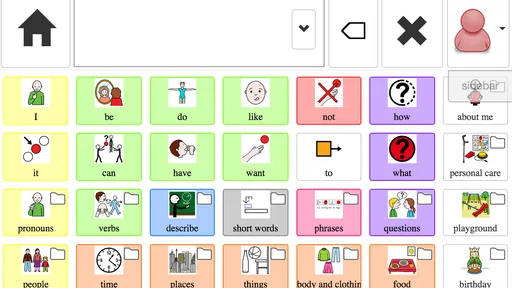
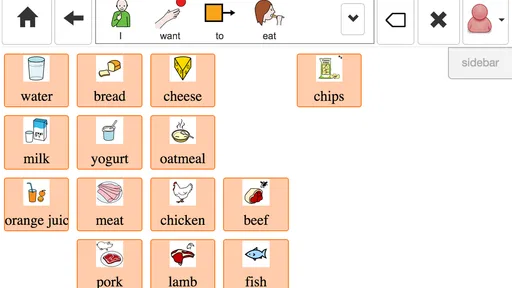
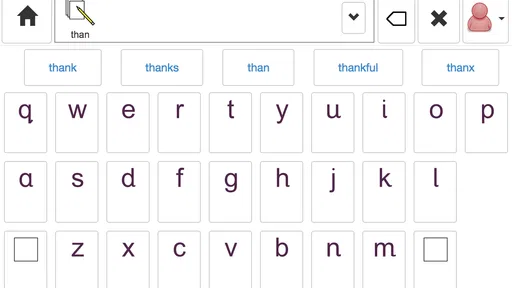
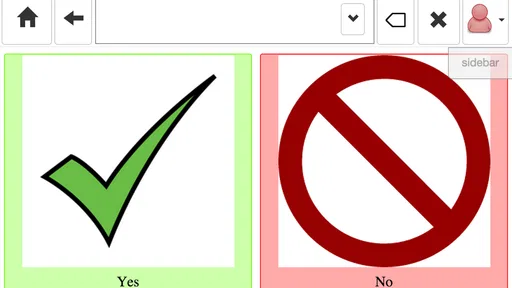
Our Review of CoughDrop AAC
 Analysis by Appyee
Communication apps are easy to judge too quickly. A crowded screen can make an AAC tool feel powerful at first glance, while a beautifully simple layout may become limiting when someone needs more precise ways to express themselves. After spending time with CoughDrop AAC, my view is that its main strength is the balance between approachability and flexibility. It is not trying to replace every specialist communication system, but it gives families, educators, and support workers a practical starting point that feels less intimidating than many dedicated alternatives.
This is an education app from MavWare, LLC., designed around augmentative and alternative communication. It is free to use, aimed at everyone, and currently available as version 3.1.3 for devices running Android 7.0 or later. Those details matter because AAC tools are often introduced in ordinary situations rather than carefully prepared technical environments. A parent may need to try a communication board at home, a teacher may want a classroom aid, or an adult may simply want another way to make a request. Removing an upfront price makes that first experiment easier.
My overall recommendation is fairly clear: I would suggest it to people who want a flexible AAC companion and are willing to spend time tailoring the experience. I would be more cautious about recommending it to someone who needs a highly specialized, immediately ready-to-use system with extensive professional configuration. The app’s value grows with thoughtful setup, and that is both its best quality and its biggest demand on the user.
What makes the communication approach useful
The most convincing part of the experience is the way the app treats communication as something that needs to adapt to a person, not the other way around. A beginner can start with a relatively direct collection of choices, while a more involved setup can be shaped around the vocabulary, routines, and abilities of the person using it. That flexibility is more important than visual polish in an AAC product because the right word or phrase needs to be easy to find at the moment it is needed.
I found the app most useful when thinking in terms of repeated daily situations rather than isolated words. A communication aid is not only for saying “water” or “help.” It can support choices, transitions, social interaction, classroom participation, and the small comments that make conversation feel natural. Building around those situations helps prevent the board from becoming a collection of disconnected buttons. For example, a family could organize access around breakfast, getting dressed, leaving home, and relaxing after school, then add personal vocabulary that makes those routines feel familiar.
That kind of organization reveals a less obvious strength: the app can encourage supporters to observe how communication actually happens. Instead of adding dozens of words because they seem important, I would begin by noting the requests, refusals, people, places, and activities that come up repeatedly. The result is usually faster access and less visual searching. In my experience, a smaller, well-planned vocabulary is more useful at the beginning than a large board that asks the user to navigate through several layers for every message.
The modern presentation also helps lower the emotional barrier for new users. AAC can be treated as a clinical subject, and that sometimes makes families feel they need expert knowledge before trying anything. CoughDrop feels more approachable as an everyday tool. The free entry point makes it possible to test whether a particular layout or communication routine fits without committing immediately to expensive hardware or a specialist platform.
That does not mean setup is effortless. The app is flexible enough that choices about layout, wording, and grouping have real consequences. If related phrases are scattered around the board, the user may hesitate. If the screen contains too many options, selection can become tiring. I would treat the first configuration as a working draft rather than a finished product, then adjust it after watching how the person uses it in real conversations.
How I would introduce it at home or school
I would not hand the device to a child or adult and expect instant communication. A better approach is to model use during normal activities. While preparing a snack, a supporter can use the app to indicate choices, comment on what is happening, and acknowledge a refusal. During play, the supporter can demonstrate words without demanding that the user repeat them. This makes the tool part of interaction instead of turning every tap into a test.
A useful early exercise is to create a small set of high-value messages for one routine. Imagine a child who becomes frustrated before leaving for school. The board might need choices about clothing, food, timing, and a way to say “wait” or “finished.” After several mornings, the family can see which options are genuinely useful and which are rarely touched. That evidence is more reliable than guessing from a generic vocabulary list.
In a classroom, I would keep the same principle but involve the staff who see the student across different activities. A board that works during a quiet lesson may not work during lunch or on the playground. The app is better evaluated across those changes because communication needs are not identical in every room. A teacher can also use it to support participation, not just requests: answering a question, choosing a partner, sharing an opinion, or signaling that instructions were unclear.
One practical tip is to review the board after a period of actual use rather than editing it constantly. Frequent changes can make familiar locations unpredictable, especially for someone who relies on motor memory. I would keep essential choices stable and make small, deliberate additions around them. This is one of the trade-offs of customization: the ability to improve the system is valuable, but too much rearranging can create new confusion.
Where it stands beside ordinary alternatives
The usual alternative is a paper communication board or a collection of printed picture cards. Those options are inexpensive, visible, and do not depend on a charged device. They can also be excellent for introducing symbols or keeping a backup nearby. CoughDrop AAC offers more room for organizing a broader vocabulary and changing the communication environment as needs develop, but it should not be viewed as a reason to discard paper immediately. I would keep a simple printed backup for situations where a device is unavailable or inconvenient.
Another alternative is the built-in accessibility features found on a phone or tablet. Those can help with typing, speech output, or basic access, but they are not necessarily arranged around AAC communication. CoughDrop’s purpose gives it a clearer focus for people who need structured choices and support with message building. The trade-off is that a general device may feel more familiar to someone who already types comfortably, while this app is more relevant when a dedicated communication layout is needed.
Specialist AAC systems can offer deeper clinical customization, dedicated hardware, and a more formal support path. For a person with complex access requirements, those systems may be the better long-term choice. I would not choose this app simply because it is free if reliable eye-gaze control, switch access, or tightly managed professional programming is central to the person’s communication. CoughDrop makes more sense as an accessible starting point, a supplementary tool, or a flexible option for users whose needs fit a tablet-based interface.
The app’s audience is also reflected in its broad age rating. Being suitable for everyone makes it easier to introduce across family and educational settings, but it does not mean every user will find the same configuration appropriate. A young child may need a visually restrained board with large, familiar choices, while an adult may need vocabulary that respects personal identity, work, relationships, and privacy. The tool can be approachable without being automatically suitable until someone has tailored it.
Limitations that deserve attention
The biggest weakness is the amount of responsibility placed on the person setting it up. Flexibility sounds simple, but it requires decisions about vocabulary, navigation, phrasing, and presentation. Someone unfamiliar with AAC may not know whether a missing word is a minor inconvenience or a serious barrier to participation. Without guidance from a speech-language professional or an experienced support person, it is easy to build a board that works for basic requests but leaves out comments, questions, and social language.
There is also a risk of designing for the supporter instead of the communicator. Adults often prioritize the words they want to hear, such as requests for food or compliance with instructions. The person using the app also needs ways to reject, joke, ask questions, express discomfort, greet someone, and change the subject. I would deliberately check for those categories. A communication system should not become a menu for adults to control; it should give the user meaningful choices and a voice in the interaction.
Screen-based communication brings ordinary device problems into an area where reliability matters. A tablet can be misplaced, difficult to hold, distracting, or unavailable at the exact moment a message is needed. Even when the app itself is working well, the surrounding device may not be ideal in a noisy cafeteria, a busy bus, or outdoors in bright light. This is why I see it as part of a communication plan rather than the entire plan. A backup board and familiar gestures can reduce stress when technology is not practical.
Another limitation is the learning curve for supporters. The person using the app is not the only one who needs practice. Parents, teachers, siblings, and care workers should know how to wait, model language, and respond to selections without taking over. If only one adult understands the setup, the app’s usefulness can shrink whenever that person is absent. I would schedule short practice sessions with everyone involved and agree on a few consistent ways to respond.
The public response suggests a reasonably established but not universally loved product: it has passed fifty thousand installs and holds an average rating of 3.9 from roughly one hundred eighty ratings. I would read that as a reason to approach it with realistic expectations, not as a verdict on its value for a particular person. AAC success is highly individual. A layout that feels intuitive to one user may be frustrating to another because of vision, motor control, language development, or personal preference.
It is also worth remembering that an app update can change the feel of a familiar tool. The current release is 3.1.3, so I would test the exact version on the device that will be used and avoid making major changes immediately before an important school term or trip. This is not unique to CoughDrop, but it matters more for communication software because a small change in access or arrangement can affect confidence. Keeping screenshots or a paper backup of essential messages is a sensible precaution.
Who should choose it, and who should look elsewhere
I think it is a strong candidate for families beginning to explore AAC, educators who need a configurable classroom aid, and support teams looking for a communication option that can grow beyond a few printed symbols. It is especially appealing when the user benefits from visual choices and the people around them are prepared to participate in setup and modeling. The free price also makes it practical for a trial before a larger purchasing decision.
I would be less enthusiastic for someone who wants a plug-and-play experience. If the user needs a board that can be opened and understood without any preparation, the customization process may feel like unnecessary work. Likewise, people who already communicate efficiently through a keyboard may prefer a standard typing or accessibility tool. And if a clinician has identified detailed access needs that require specialized hardware or carefully calibrated controls, a dedicated AAC solution deserves priority.
For a realistic everyday test, I would use it during one predictable routine for a week. Choose a meal, commute, lesson, or bedtime period. Track which messages are easy to reach, which ones are missing, and whether the user initiates communication or only responds to prompts. Then make one small revision and test again. This method gives a clearer picture than opening the app once and judging the appearance of the board.
I would also ask four practical questions before settling on it. Can the intended user physically select the choices comfortably? Can supporters keep the vocabulary consistent across home and school? Is there a backup for times when the device is unavailable? And does the system allow the person to express more than immediate needs? If the answers are mostly yes, the app has a meaningful chance of becoming useful. If several answers are no, another AAC approach may be safer and more appropriate.
My final view after using it
CoughDrop AAC succeeds because it treats an AAC board as something that can be shaped around real life rather than a fixed collection of emergency words. Its strongest quality is the room it gives families and educators to build a communication routine that reflects the user’s day. The free access and everyone-friendly positioning make it approachable, while the current version provides a clear starting point for people using compatible Android devices.
At the same time, I would not describe it as effortless. The app rewards observation, patience, and thoughtful editing. Its flexibility can become a weakness when nobody has enough time or experience to create a coherent board, and no software can remove the need for communication partners to listen and wait. The best results come when the app is introduced as a shared practice, not simply installed and handed over.
My recommendation is therefore positive but specific. I would tell a friend to try it if they want a flexible, low-cost way to explore AAC, especially with support from a teacher, therapist, or experienced family member. I would pair it with a simple backup and judge it through real routines rather than screenshots. For users who need highly specialized access or a professionally managed system from the beginning, I would investigate dedicated alternatives instead. For everyone else, its real advantage is the ability to turn everyday communication needs into a board that can keep changing with the person.
Verdict
Strengths of CoughDrop AAC
- Supports customizable AAC communication boards for different needs.
- Works across Android, iOS, and web-connected devices.
- Includes symbol-based and text-based communication options.
- Allows caregivers to manage and update boards remotely.
- Can support communication progress with usage history and reports.
Limitations of CoughDrop AAC
- Many advanced features require a paid subscription.
- Initial board setup may feel complex for new AAC users.
- Some symbols and layouts may need manual customization.
- Cloud-based features depend on a reliable internet connection.
- The interface can feel overwhelming on smaller phone screens.
Similar Picks in This Category
View All
Duolingo: Language Lessons
Duolingo4.7

Google Classroom
Google LLC2.8

Unacademy: Learn & Crack Exams
Unacademy3.2

Bible App for Kids
Life.Church4.4

Cake - Learn English & Korean
Cake Corp.4.7

Brainly: AI Homework Helper
Brainly4.5
Frequently Asked Questions
What is CoughDrop AAC, and who is it designed for?
CoughDrop AAC is an augmentative and alternative communication app designed to help people who have difficulty speaking communicate through symbols, text, voice output, and personalized message boards. It can be used by children and adults with conditions such as autism, apraxia, cerebral palsy, aphasia, or other speech and language challenges. Families, teachers, therapists, and caregivers can also participate in the user’s communication support.
Does CoughDrop AAC work without an internet connection?
CoughDrop AAC is designed to support communication in situations where an internet connection may not always be available. Depending on the device and account setup, users can generally access downloaded communication boards and use core communication features offline. Internet access may still be required for syncing changes, managing cloud-based content, connecting with communication partners, or using certain account and administrative functions.
Can I customize the communication boards in CoughDrop AAC?
Yes, customization is one of CoughDrop AAC’s most important features. Users, parents, educators, and speech-language professionals can modify buttons, vocabulary, colors, layouts, images, and voice settings to match an individual’s abilities and communication needs. Boards can be built from scratch or adapted from existing resources, allowing the system to grow as the user develops new skills and requires more complex language.
Does CoughDrop AAC include speech output and accessibility options?
CoughDrop AAC can convert selected messages into spoken output, making it possible for users to communicate with a synthesized voice through a compatible phone or tablet. The app also supports visual communication through symbols and text, with settings that can be adjusted for different users. Available voices, button sizes, layouts, and accessibility behavior may vary according to the device, operating system, and account configuration.
Is CoughDrop AAC free to download and use?
CoughDrop AAC may be available to download without an upfront charge, but access to its complete communication, collaboration, and account-management features can depend on the subscription or licensing option selected. Pricing and included tools may differ for individuals, families, schools, and professional organizations. Before downloading, users should review the current information on the official app store or CoughDrop website to confirm costs, trial terms, and supported platforms.
